What Does a 360° View Mean?
Imagine standing in the middle of a beautiful plaza, a colourful market, or even your own living room. You can turn in any direction and see every detail around you. This feeling of being there is what a 360‑degree view gives you. I
Run a business? Put your premises on Google Street View from £247 + VAT, usually live on Google Maps within 5 to 7 working days. See how a Street View tour works for your business.
f you have a space, experience or story you want to share but normal photos and videos feel flat, a 360 view lets you invite people inside your world. In this guide we’ll explore what 360 imagery is, how it works and why it matters.
Our goal is to help you capture and share spaces in a way that truly reflects what it feels like to be there. The 360‑degree camera and virtual tour tools are simply tools to make that happen.
What Is a 360° View (360‑degree view)?
A Simple Definition
A 360° view (also called an omnidirectional view) is a photo or video that captures everything around a point in all directions. Instead of framing only what is in front of the camera, a 360 camera uses two or more wide‑angle lenses to record the entire sphere of space. The lenses are usually positioned back‑to‑back and each one captures around half of the surroundings.
After the camera records, software automatically combines (or stitches) the images into a single seamless panorama. The result is a file that viewers can explore by dragging with a mouse, tilting a phone or even using a virtual‑reality headset.
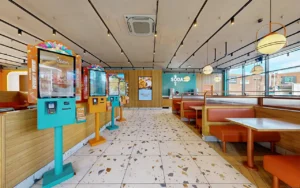
The image below is not a standard image. It’s an interactive 360-degree photo we published on Kuula. Click or tap and drag to explore the space in any direction.
Types of 360 Views
Many popular platforms already support 360 content. YouTube and Facebook let you upload 360 videos and photos, Kuula and Matterport provide easy ways to host tours, and Google Maps includes user‑generated 360 photos in Street View. These tools make it simple to share your immersive scenes with friends, customers or students.
- Monoscopic 360 is a flat 360 image or video. You view it on a screen and can look around, but the image has no depth. A good example is Google Street View.
- Stereoscopic 360 adds depth by creating separate images for each eye. This makes the experience feel more like real life when viewed through a VR headset.
How 360 Cameras Work
Let’s break down how a 360 camera makes these magical images, step by step:
- Multiple lenses capture everything. A typical 360 camera uses at least two wide‑angle lenses positioned back‑to‑back. Each lens records a 180‑degree view of the environment.
- Automatic stitching. The camera’s software aligns the edges of the images and blends them together to create a single seamless sphere. Many models do this automatically inside the camera, so you don’t need any special software for basic results.
- Sensors and processors. Inside the camera there’s a little computer. It adjusts the brightness and colour so that dark areas aren’t too dark and bright areas aren’t too bright. It also corrects the “bulging” effect you sometimes see with wide‑angle lenses.
- Stabilisation and correction. Built‑in gyroscopes and clever software smooth out bumps and wobbles. This makes it easier to take steady shots when you’re walking or holding the camera in your hand.
- Real‑time stitching for video. When recording video, the camera can stitch the streams together in real time, enabling live 360 broadcasts.
Single Spot vs Full Virtual Tours
A single 360 view shows you one location from a fixed point. You stand in the centre of a room or street and can look around in every direction. That’s perfect for capturing the feeling of “being there” in that specific spot.
But you can also link multiple 360 photos (360 panoramas) together to build a full virtual tour. Think of dropping breadcrumbs through a house, museum or park. Each breadcrumb is a new 360 photo. When you click on a hotspot in one panorama, you jump to the next spot. This creates a virtual walkthrough that feels like you are moving through a space rather than standing still. Platforms like Matterport, Kuula, 3D Vista and Google Street View make it easy to connect panoramas into tours. Virtual tours can also include informative labels, audio guides and links to other resources.
Understanding Spherical Projection
Think of wrapping a map around a ball. The stitched 360 image is projected onto a virtual sphere, and when you view it you are looking from the centre outwards. You can pan left or right, look up at the sky or down at the ground. Using a VR headset, your head movements translate into the view, making it feel as though you are standing in the actual place. Many platforms, such as YouTube, Facebook and custom virtual tour software, support interactive 360 content.
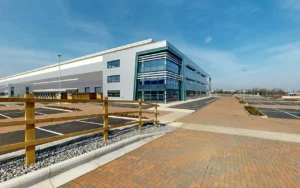
Below is a Google Street View embed. Click or tap the 360 photo and drag to look around.
Why Use a 360° View?
Capturing everything around you isn’t just a cool trick; it opens up new ways of telling stories, teaching and doing business. Below we explore the benefits for you and for businesses or creators.
Bring your UK space to life with 360 photography. One shoot, every angle captured, ready for your website. UK pricing in GBP. Prefer a walkthrough? Try Matterport.
Benefits for the Viewer
- Immersive experiences. A 360 view allows you to step into another world rather than just seeing it on a screen. When you watch a 360 video, you feel as though you are part of the scene. This can transform a lesson, tour or story into an experience.
- Inspiration and learning. Teachers have used 360 videos to bring history to life and engage students in new ways liquona.com. By exploring an ancient city or a coral reef in 360°, you engage your curiosity and imagination.
- Relive memories. A 360 camera can record an event, like a wedding, birthday or family trip, in a way that lets you return to every moment, even the ones behind you.
- Capture everything. You don’t have to worry about framing the shot or missing something in the background. The camera records the whole scene, so you can revisit details you didn’t notice at the time blog.ricoh360.com.
Benefits for Your Audience or Business
- Higher engagement and dwell time. Immersive 360 content encourages people to spend more time exploring. In marketing, studies show that brands using 360 videos see higher purchase intent and improved brand recall.
- Versatility across industries. Real estate agents showcase properties without requiring in‑person visits blog.ricoh360.com; construction teams capture job sites to enhance collaboration and reduce site visits; lawyers document incident scenes; biologists observe wildlife; event planners and educators create memorable experiences.
- Cost‑effective storytelling. 360 cameras allow small businesses, museums and schools to create their own virtual tours without expensive film crews threesixty.tours. Platforms like Kuula and Matterport make hosting easy.
- Better decision‑making. When clients can explore a space remotely, they can make informed choices faster, whether buying a house, booking a venue or selecting a university. In construction, interactive documentation reduces mistakes and improves project management openspace.ai.
Why 360 Imagery Is Great for Marketing
We remember experiences more than facts. A 360 view invites you to interact, which creates a stronger emotional connection and helps the memory stick. It also encourages sharing because friends and customers are more likely to post and talk about a unique immersive photo or tour. Because 360 content stands out, it gives your brand an edge in social feeds where attention is scarce.
Who Can Benefit? Applications Across Industries
360 photography and virtual tours have applications far beyond travel and gaming. Here are some concrete examples:
- Real estate and property marketing. Realtors use virtual tours to allow prospective buyers or renters to walk through homes remotely. Matterport, for example, offers ready‑made tours that can be embedded on websites.
- Construction and engineering. Capturing job sites with 360 cameras helps teams document progress, identify issues early and collaborate with stakeholders openspace.ai. Remote walkthroughs save time and travel costs.
- Education and museums. Teachers use 360 imagery to take students on virtual field trips, explore historical sites or examine scientific environments. Museums can offer online tours to broaden access.
- Hospitality and tourism. Hotels, resorts and travel agencies use immersive content to show what a room or destination looks like. Tourists can preview experiences before booking.
- Events and entertainment. Concerts, festivals and sports events can be captured in 360, enabling fans to revisit moments or experience them from the front row. Corporate events can be recorded to show the atmosphere and share with those who couldn’t attend.
- Product demonstrations. 360 product photography allows consumers to spin and explore items online, improving confidence before buying.
- Legal and safety documentation. Lawyers may use 360 imagery to capture accident sites for court cases blog.ricoh360.com. Safety inspectors can document workplaces or construction hazards comprehensively.
- Wildlife observation and research. Biologists use 360 cameras to record animal behaviour without disturbing natural habitats.
As you read these examples, think about how they relate to your work or passion. The technology is simply a tool; what matters is how you use it to tell your story.
Below is a Matterport digital twin. Click or tap to enter, drag to look around, and use the circles to move through the space.
Beyond 360: Virtual Tours, VR and AR
360 images and videos are just the beginning of immersive storytelling. You can take things further in several ways:
- Virtual tours: As described above, you can link multiple 360 views to create a guided walk through a space. Virtual tours can include text descriptions, voice narration and clickable hotspots that reveal more information.
- Virtual reality (VR): Viewing a 360 video on a phone or computer is fun, but putting on a VR headset makes the experience truly immersive. VR headsets like Oculus Quest or Google Cardboard let you look around naturally by moving your head, which deepens the sense of presence.
- Augmented reality (AR): AR overlays digital objects onto the real world using your phone or smart glasses. While 360 views show you the real environment, AR lets you place virtual elements, like furniture models or educational pop‑ups, within that environment. For example, architects might combine a 360 photo of a construction site with AR models of future buildings to visualise how the finished project will look. Teachers could use AR to add labels or historical facts to a 360 panorama of an archaeological site.
By blending 360 imagery with VR and AR, you can create deeper and more engaging experiences. The technology is evolving quickly, and these tools are becoming more accessible for everyone.
Limitations and Considerations
Let’s be honest: while 360 imagery is exciting, it’s important to be aware of its limitations so you can decide when and how to use it effectively.
- Lower resolution compared to high‑end cameras. Because each lens captures a wide field of view, the pixels are spread over a large area. This can result in lower detail compared to DSLR or mirrorless cameras. For professional photography that requires high resolution, you might still need traditional equipment.
- Challenging in low light. Wide‑angle sensors let in less light per pixel, so 360 cameras often struggle in dim environments. To solve this, shoot in well‑lit areas or bring your own lights.
- Editing and hosting complexity. Although most cameras offer automatic stitching, advanced editing (colour correction, removing tripod shadows, adding hotspots) can be time‑consuming. You also need a platform to host the finished tour; without proper software, users may find it difficult to view your content.
- Photographer appearing in the frame. When you stand behind a 360 camera, you might show up in the shot. Some cameras offer a time‑shift or remote‑shutter feature to avoid this. You can also hide behind an object or use a tripod with a remote trigger.
- No optical zoom. 360 cameras are designed to capture entire spaces, not zoom in on faraway objects blog.ricoh360.com. You can crop images later, but the level of detail may be limited.
Despite these drawbacks, many users find that the benefits outweigh the challenges, especially when the goal is to create immersive experiences. Understanding these limits helps you plan and shoot more effectively.
How to Create Your Own 360 View
The following steps will guide you in producing your first 360 photo or virtual tour. Use simple language and break each step down so that even beginners can follow along.
- Choose the right camera. Popular models include the Ricoh Theta series and Insta360 cameras. These devices are small and easy to use. If you want to experiment without buying new gear, some smartphone apps, like the Google Street View app or Cardboard Camera, let you take 360 photos by rotating around and stitching multiple images together. Think about your purpose: do you need a budget‑friendly option for casual use or a high‑resolution model for professional tours? Make sure the camera or app supports automatic stitching and fits your budget.
- Select software for editing and hosting. Many cameras come with their own mobile apps for basic editing. For more advanced editing and hosting, choose platforms like Kuula, Matterport, 3D Vista, GoThru or Google Street View. These tools enable you to stitch images, add navigation hotspots and embed the finished tour on your website.
- Plan your shoot. Think about the spaces you want to capture and how they connect. Use a tripod for stability and position the camera in the centre of the area. Ensure the space is tidy and well lit. If you’re shooting multiple rooms, sketch a simple floor plan and decide the order in which you’ll capture each area.
- Capture the images. Turn on your camera, set it to auto mode and press the shutter. Most 360 cameras are user‑friendly and require no manual settings. Take multiple shots if needed. For video, ensure you have enough storage and battery life.
- Edit and stitch. Use the camera’s app or your chosen software to stitch the images. Adjust brightness, remove the tripod footprint if possible and add hotspots (interactive points that link rooms together). Save the images in an equirectangular format (a rectangular projection of the sphere) for compatibility with most viewers.
- Host and publish. Upload your 360 photos or tour to your chosen platform. These services will generate an embeddable link or code snippet. You can then paste this code into your website or share it on social media. Always test the tour on multiple devices to ensure it loads correctly.
In the next section we provide placeholders for actual interactive examples; they will help you see what a finished 360 view looks like.
Questions and Answers
What does a 360-degree photo mean?
A 360-degree photo is a special image that lets you look in all directions from one spot. You can swipe or move your phone to see everything around you.
How do I view a 360 photo?
You view a 360 photo by clicking and dragging it with your mouse or tilting your phone. On some websites you can also use a VR headset to feel like you’re inside the scene.
What’s the difference between monoscopic and stereoscopic 360 video?
Monoscopic 360 video is flat; you can look around but there’s no sense of depth, like Google Street View. Stereoscopic 360 video creates separate images for each eye, giving a 3D effect when viewed with a VR headset.
Do I need special equipment to shoot a 360 video?
You’ll need a 360 camera, which uses two or more lenses to capture everything around it. The good news is that many models are small and easy to use; you press one button and the camera does the stitching for you.
Can I make a virtual tour with my phone?
You can capture a single 360 panorama using apps like Google Street View by turning in a circle. But if you want to build a complete virtual tour that links multiple rooms or viewpoints together, you’ll get better results with a dedicated 360 camera and a hosting platform that lets viewers move from room to room.
Where can I share my 360 photos?
You can share 360 photos on platforms like Google, Facebook, YouTube and Kuula. Many hosting services provide embed codes so you can put the tour on your website.
Are 360 cameras hard to use?
Modern 360 cameras are very user friendly. They often have one button operation and automatic stitching, so even beginners can capture immersive images.
Why do people use 360 photos in real estate?
360 photos let potential buyers or renters explore a property remotely, helping them understand the layout and feel of the space. This can save time and reduce the need for in-person visits.
Can a 360 camera help with construction projects?
Yes. Construction teams use 360 cameras to document job sites, which improves collaboration and reduces site visits. It also helps them catch problems early.
What are the drawbacks of 360 cameras?
The main drawbacks are lower image resolution compared to high-end cameras, poorer performance in low light, the potential of appearing in the shot, and the need for editing and hosting software.
How can I avoid appearing in a 360 photo?
You can use a remote shutter or self-timer and hide behind an object. Some cameras have time shift modes to capture the scene without the photographer in view.
Do 360 cameras work in low light?
360 cameras generally need good lighting. They can struggle in dim conditions because each sensor covers a wide area. Adding lights or shooting during the day will improve results.
Can I zoom in with a 360 camera?
360 cameras don’t have optical zoom. You can crop parts of the image later, but you lose detail.
Are 360 photos good for education?
Yes! Teachers use them to take students on virtual field trips, explore science topics and make lessons more engaging.
How do I host my 360 tour online?
After editing, upload your tour to a hosting platform like Kuula or Matterport. These services provide a link or embed code you can share or add to your website.
What software can I use to edit 360 photos?
Many cameras include basic editing apps. For advanced features, look at Adobe Premiere, Insta360 Studio, or the editing tools built into hosting platforms.
Is it expensive to make a virtual tour?
Prices vary. Entry-level cameras start under £400, and some platforms offer free hosting for a limited number of tours. Overall, it’s more affordable than hiring a full film crew.
Can I use a 360 camera for live streaming?
Yes. Many 360 cameras support real-time stitching and can live stream directly to platforms like YouTube and Facebook.
What’s an equirectangular image?
An equirectangular image is the flat, rectangular version of your 360 photo. It looks stretched, but when viewed in a 360 player it wraps around to form the sphere. Most 360 software exports in this format for compatibility.
Why should I care about 360 photography?
360 photography is a powerful way to communicate spaces and experiences. It engages people, improves memory and can set your work or business apart in a crowded digital world. It’s also the foundation for VR and AR experiences, so learning it now prepares you for more immersive storytelling in the future.
Bring your UK space to life with 360 photography. One shoot, every angle captured, ready for your website. UK pricing in GBP. Prefer a walkthrough? Try Matterport.
You now have a solid understanding of what a 360° view means, how 360 cameras work and why this technology can benefit you. Whether you are a property owner, a teacher, a builder, or simply someone who loves capturing memories, 360 imagery can help you tell better stories and connect with people in a deeper way. Remember, you are in control of this journey. The camera is simply a tool that empowers you to invite others into your world.
If you’re curious about creating your first virtual tour, start small: take a single 360 photo and share it with friends. Then explore free platforms like Kuula to host your images. As you gain confidence, experiment with linking multiple rooms and adding hotspots to create interactive experiences. Should you need guidance or professional support, many service providers offer help, from one-off shoots to fully customised tours.
Thank you for exploring the world of 360 imagery with us. We hope this guide inspires you to step into the sphere and share your unique perspective.
Put Your Own Space In 360
A 360 view works hardest when it shows your business. We capture professional 360 photos and publish walkable tours to Google Maps, so customers can explore your space before they ever visit.