Customers often need more than an address, opening hours and attractive photographs before choosing a business. They want to know whether the place suits their needs.
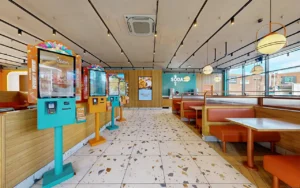
Is there a bright seating area for a birthday meal? How does the event room connect to the terrace? Where is reception when you enter the clinic? Does the showroom have the type of display you want to explore?
Virtual tours help people investigate these questions. AI assistants with visual understanding and browser controls can also explore accessible tours, examine details and combine their observations with other information to make informed recommendations.
Google Ask Maps is another sign of this shift towards more detailed, conversational discovery. For businesses, the opportunity is to make their spaces easier to understand, with useful imagery, clear information and a virtual experience that answers real customer questions.
Last reviewed: 17 September 2026. Features and availability vary between AI products, countries and account settings.
In this guide
- From searching for a business to investigating its suitability
- What Google Ask Maps brings to business discovery
- How AI can explore a virtual tour
- How visual evidence can inform recommendations
- Questions a virtual tour can help answer
- Making your business easier to understand
- What this means for visibility and recommendations
- Frequently asked questions
From searching for a business to investigating its suitability
A traditional search might begin with “restaurants near me”. The customer then opens several listings, reads reviews, checks photographs and researches the journey.
With an AI assistant, that request can become more specific:
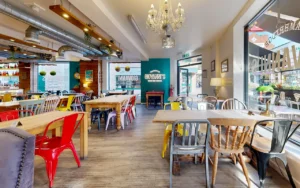
“Find a restaurant for a birthday meal for eight to ten people, with natural light, a seating area slightly separate from the main room and convenient public transport.”
Answering this well requires several kinds of information. A website can explain group bookings. Reviews can describe experiences. Maps can help with the journey. A virtual tour can show windows, seating arrangements and how different areas connect.
An assistant with the appropriate tools can investigate these sources and bring the findings together. It can help someone build a shortlist, identify unsuitable options and ask more precise questions before booking.
This gives businesses a reason to think beyond how their premises look in the opening photograph. The details customers need may be elsewhere in the space.
What Google Ask Maps brings to business discovery
Google introduced Ask Maps in March 2026 as a conversational way to ask detailed questions about places. It combines Gemini with Maps information and community contributions to help users discover options, ask follow-up questions and move towards actions such as directions or reservations.
Google describes drawing on information about more than 300 million places, including reviews from its community. This allows requests to reflect several preferences together, rather than just a business category and location. Google’s Ask Maps announcement.
In August 2026, Google announced wider availability and additional capabilities involving food ordering, hotels, events, transit information and personalisation. Some features initially launched in the US, so availability should be checked for the country and account being used. Google’s August update.
Watch Google’s introduction to Ask Maps
The demonstration shows how conversational questions can help people discover and compare places. It provides a useful introduction to a customer journey shaped by specific needs and follow-up questions.
Where does the information come from?
Google’s wider business information comes from several sources, including official websites, business owners, customer contributions, licensed information and its interactions with places. A business therefore needs to consider the overall picture customers encounter, across its website, Business Profile, imagery and reviews. How Google sources business information.
Google has not published a complete explanation of which sources Ask Maps uses for every answer or how each source is weighted. Its documented use of Street View and aerial imagery for navigation also should not be treated as proof that Ask Maps explores every indoor tour.
AI-assisted tour exploration is a capability in its own right. An assistant with browser controls can investigate a tour when asked, even where a particular search product’s use of that tour has not been established.
How AI can explore a virtual tour
An AI assistant with visual understanding and browser controls can move between connected viewpoints, change its viewing direction and examine visible details in an accessible tour.
It can use those observations to describe an area, follow a route or investigate a particular requirement. OpenAI, for example, documents image input and computer-use support for GPT-6 Astra. Official model documentation.
For a showroom customer, the task might be to locate a dining display and understand where it sits in relation to the entrance. For someone choosing an event venue, it could involve examining the connection between the main room, bar and terrace.
The customer’s question guides the exploration. The assistant can look towards the relevant feature, move to another available position and compare views before answering.
Watch an AI assistant open a virtual tour
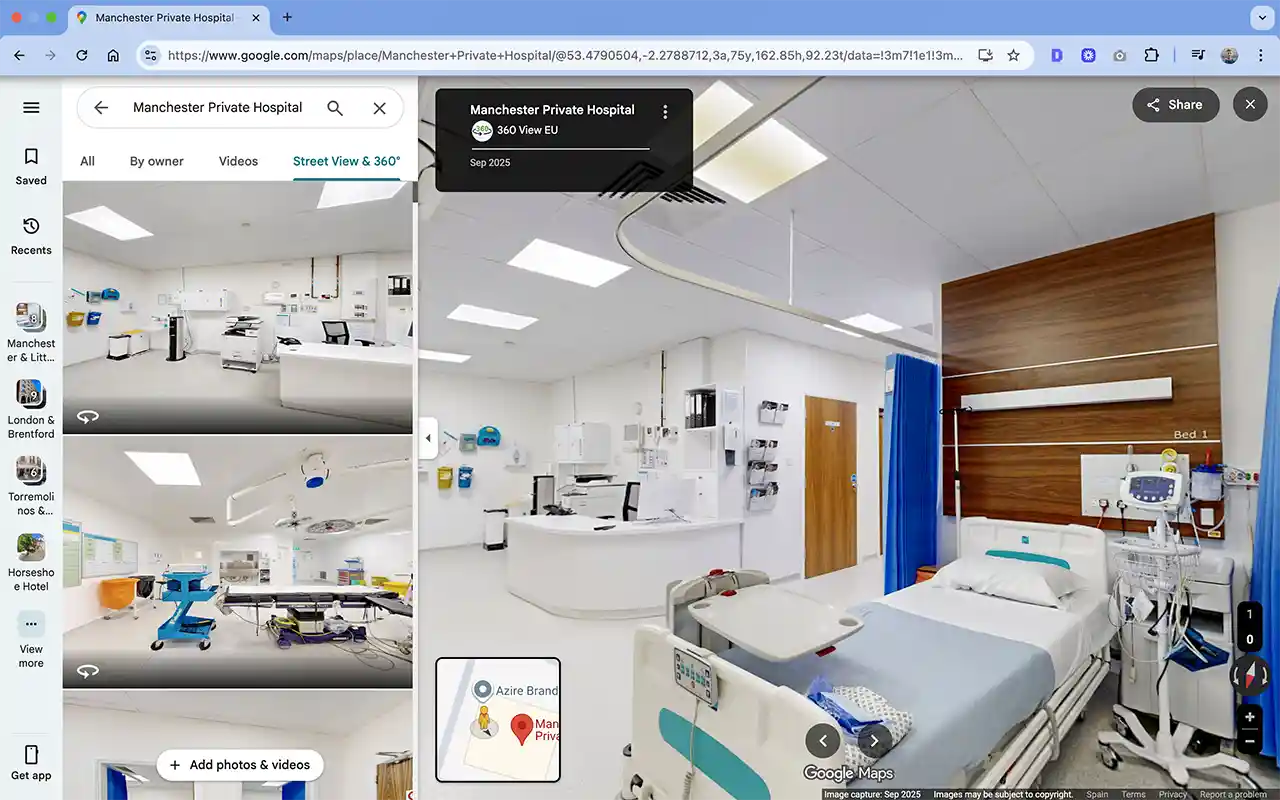
This 20-second demonstration shows Perplexity opening a 360° virtual tour inside Manchester Private Hospital. It illustrates how an AI-assisted browsing journey can take someone from a request to an explorable view of a real business.
Why connected 360 imagery is useful
A conventional photograph presents a fixed frame. A conventional video follows the route and sequence chosen by its creator. A connected virtual tour gives the viewer more freedom to investigate.
That matters when someone asks a question the original presentation did not anticipate. A customer may be interested in the space beside the main display, the route around a corner or the view from the back of a room.
Connected panoramas also provide spatial context. They can show how reception relates to the entrance, how seating areas are separated or how indoor and outdoor spaces connect.
A capable assistant can use that context to explain the place more clearly. The usefulness of the answer depends on the coverage and detail available, which makes thoughtful capture and navigation important.
How visual evidence can inform recommendations
A tour can become one part of a broader investigation into whether a business suits a customer.
Consider the birthday meal request: eight to ten guests, natural light, some separation from the main dining room and convenient transport. The assistant could examine the tour for a suitable seating arrangement, check the website for group-booking information and investigate the journey.
Where parallel agents are available, different parts of that research can happen at the same time.
| Part of the investigation | What an assistant could examine |
|---|---|
| Interior suitability | Windows, seating groups, partitions and adjoining areas in the tour |
| Booking arrangements | Published group sizes, private dining options and reservation terms |
| Arrival | Public transport, parking information and the approach to the entrance |
| Customer experience | Relevant reviews and recent information about the business |
| Overall suitability | How the evidence matches the customer’s requirements and what remains to be confirmed |
This can reduce manual browsing and help customers identify promising options more quickly. It can also reveal a reason to exclude a venue before someone spends time enquiring or travelling.
A useful recommendation explains the evidence. It might identify a window-side seating area, confirm that the restaurant accepts group enquiries and describe the route from the station. The remaining question could then be whether those particular tables can be reserved together on the requested date.
The tour supplies information that a generic description such as “ideal for celebrations” cannot communicate on its own.
Questions a virtual tour can help answer
Virtual tours are particularly useful for questions about visible features, layout and the relationships between spaces.
| Customer question | What the tour can help reveal | Information to confirm separately |
|---|---|---|
| “Is there seating beside windows?” | The position of windows and seating arrangements | Availability and light conditions at the intended time |
| “Does the restaurant have a covered terrace?” | The terrace, overhead cover and connection to the interior | Seasonal arrangements and current opening |
| “What will I see when I enter the clinic?” | The entrance, reception and visible signage | Updated arrival instructions |
| “Is the event room separate from the main bar?” | Doors, partitions and connecting areas | Sound isolation, exclusive use and booking terms |
| “Are there pillars affecting views towards the stage?” | Visible obstructions from captured positions | Sightlines from seats or positions not shown |
| “How do I reach the upstairs showroom?” | Captured stairs, lifts and routes between floors | Current lift operation and access arrangements |
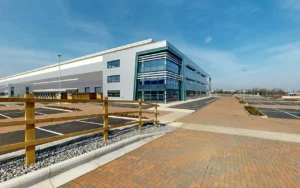
| “How does the loading area connect to the warehouse?” | The layout and visible connecting route | Vehicle clearances and operational restrictions |
From a general enquiry to a useful question
Visual exploration can make the next conversation with the business more productive.
Instead of asking whether a restaurant is suitable for a group, a customer can ask whether the window-side area shown in the tour can be reserved for ten people. Instead of requesting a general venue description, an organiser can ask whether the room adjoining the terrace is included in the hire.
An assistant can help formulate those questions by combining what it sees with the information it finds elsewhere.
Appearance and confirmed arrangements remain different. Ten visible chairs do not establish booking availability, and a route without visible steps does not establish every aspect of accessibility. A well-informed answer makes those distinctions clear.
Making your business easier to understand
Businesses cannot control every source an AI system may consult. They can make the information they publish accurate, useful and consistent.
Keep your business details complete and current
Review your Google Business Profile, website and booking information regularly. Opening hours, business categories, contact details, services and relevant attributes should accurately describe the business.
Specific customer questions need specific answers. If you offer private dining, explain the arrangements. If there is a separate entrance or parking behind the building, describe it clearly.
These details remain useful whether someone researches manually or asks an assistant to help.
Treat imagery as useful information
Photographs and tours can show more than atmosphere. Entrances, signs, facilities and room layouts contain information people can use when making a decision.
Google has demonstrated this directly within Maps: a user can upload a photograph of a storefront sign, have the system identify updated hours and confirm the information before submitting a suggested edit. This is a concrete example of AI extracting useful details from imagery. Google’s visual contribution example.
For your own business, consider whether the available imagery answers practical questions. A restaurant might need views of its entrance, dining areas and terrace. A gym might need clear coverage of equipment zones and studios. A venue might need to show room connections and different seating arrangements.
The objective is useful coverage, rather than the largest possible image collection.
Plan the tour around customer questions
Start with what people ask before visiting or booking.
For a clinic, the route from the entrance to reception may be particularly useful. For a hotel, customers may need to understand the relationship between an event room and its outdoor space. For a showroom, they may want to explore particular displays and see what is available on each floor.
Capture positions should make those details visible. Important connections should be included, and movement through the tour should remain understandable around doors, corners and changes of level.
A well-planned tour gives people and capable assistants more opportunities to find the information they need.
Use clear names and useful starting points
Where the platform supports them, labels and direct links can help users reach a particular area.
A customer investigating a terrace should not have to search through an entire hotel to find it. A link that opens the relevant view can also help an assistant begin its investigation in the right place.
Use descriptive names consistently across the website, booking information and tour so people can connect what they read with what they see.
Put important facts beside the tour
A tour and its accompanying text should support one another.
Show an event room visually, then explain its capacity, available layouts and booking arrangements. Show an entrance, then provide current arrival and access information. Show a terrace, then clarify when it is available.
This helps customers obtain a complete answer without expecting imagery to communicate every detail. It also gives assistants readable information to combine with their visual observations.
Review customer contributions and changing conditions
Reviews, photographs and suggested edits can influence how a business is represented online. Check for outdated or incorrect factual information and use the available correction or response tools appropriately.
The tour itself also needs review when meaningful changes occur. New layouts, entrances, displays or room uses can affect the decisions customers make.
Where imagery cannot be updated immediately, explain the change clearly. A visually accurate description of an old scene can still give someone an outdated impression of the business today.
What this means for visibility and recommendations
An assistant can use a virtual tour as part of assessing whether a business matches someone’s requirements. That creates a practical opportunity to demonstrate qualities that may be difficult to communicate through a short description.
Publishing a tour does not guarantee that an AI service will inspect it or recommend the business. Likewise, Google’s published local ranking guidance does not promise a ranking improvement simply because a listing has 360 imagery. Its guidance focuses on relevance, distance and prominence. Google’s local ranking guidance.
The stronger business case is the information the tour makes available. It can support discovery, investigation and the customer’s decision after a recommendation has already been made.
For businesses where layout, atmosphere, presentation or physical facilities matter, giving people a way to examine the space is valuable. AI-assisted browsing extends the ways that experience can be used.
Frequently asked questions
Can AI understand a virtual tour without a written description?
A visually capable assistant can identify features from views it can access, even when they are not described in text. Written information adds names, purposes and practical facts that appearance alone cannot establish. Combining both produces a more useful picture of the business.
Can AI use a tour to recommend my business?
Yes. An assistant with suitable tools can use observations from an accessible tour when assessing whether your business meets someone’s requirements. It can combine those observations with other information and explain why the space appears suitable. Having a tour does not guarantee that it will be selected or inspected.
Does Google Ask Maps automatically explore indoor virtual tours?
Google has not publicly established that Ask Maps navigates every indoor Street View tour or embedded Matterport model when answering business questions. Ask Maps’ documented place recommendations and an assistant’s ability to operate a tour are separate capabilities.
Can AI compare several businesses using their tours?
A suitably equipped assistant can inspect accessible tours and compare visible features against a common set of requirements. It can also research practical details such as location and booking terms. The quality of the comparison depends on the coverage, currency and accessibility of each business’s information.
Can a tour establish whether a venue is accessible?
It can help someone inspect visible entrances, steps, lifts and routes before visiting. Exact clearances, facilities and current operating conditions may require additional information. Businesses should publish specific access details and provide a way to discuss individual requirements.
Can AI inspect a private Matterport model?
An assistant would need authorised access through an appropriate workflow. A private model is not automatically available to public browsing or search tools. Organisations using AI for internal review should choose access arrangements suitable for the information involved.
How often should a business update its virtual tour?
Review it when changes affect how customers understand or use the space. A relocated entrance, altered layout or newly available room can matter more than the age of the imagery alone. Keep associated descriptions and booking information current too.
Virtual tours built around useful exploration
At 360 View, we plan virtual tours around the people who will use them. We consider the questions they need answered, the details they need to inspect and how they will move through the space.
Clear imagery, thoughtful viewpoints and natural navigation help customers understand a location. They also give capable AI assistants useful visual evidence when investigating on a customer’s behalf.
Explore our Google Maps virtual tour service and Matterport service, or discuss your space with 360 View.