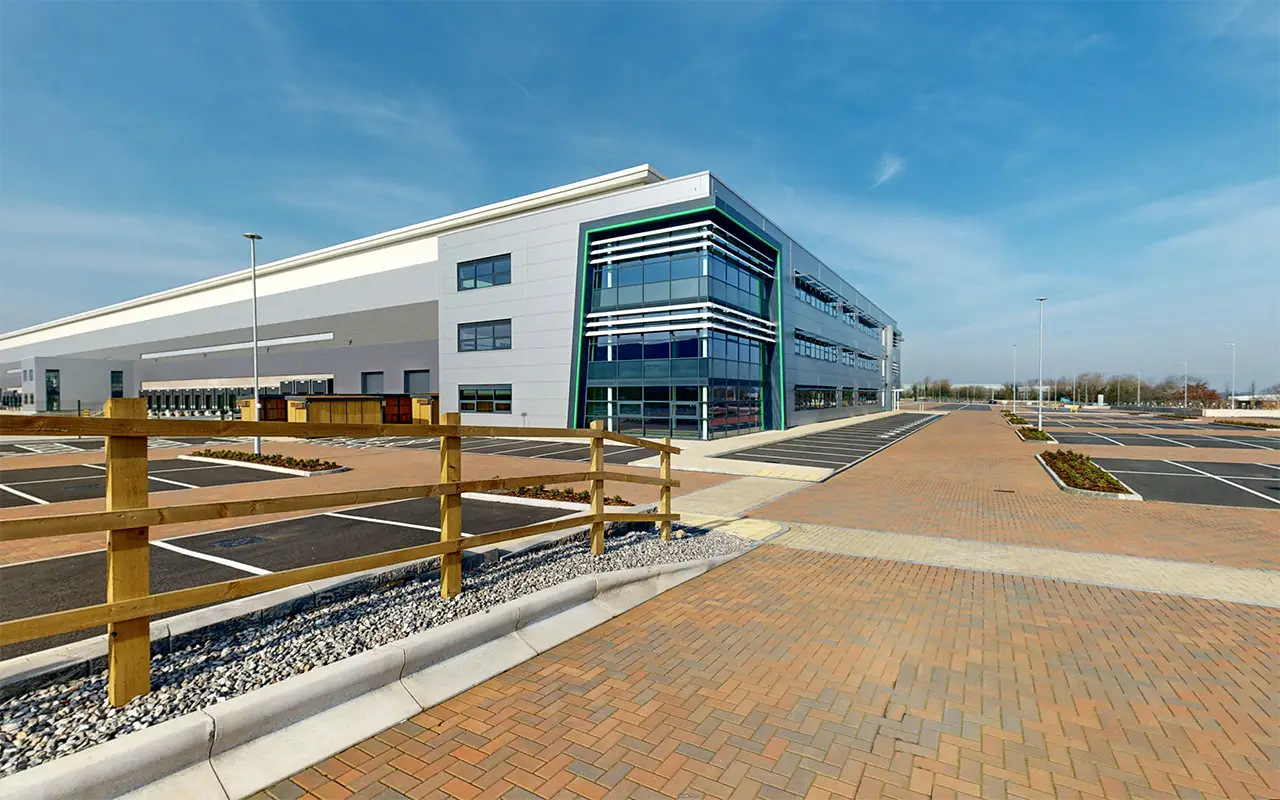
Logicor Park Daventry is one of the largest logistics developments we have mapped: three grade A warehouses totalling 800,000 sq ft, rated EPC A and BREEAM Excellent. Logicor asked us to put the whole estate on Google Maps so that occupiers, agents, drivers and visitors could explore it as it really is, from the public road outside to the entrance of each building.
Below, we explain how we planned a site of this size, and you can explore the finished estate from the entrance of each building.
The Project at a Glance
| Project detail | Information |
|---|---|
| Client | Logicor |
| Location | Logicor Park Daventry, Northamptonshire |
| Scale | 800,000 sq ft across three warehouses of 385,000, 280,000 and 135,000 sq ft |
| Service | Google Street View mapping, exterior routes |
| Areas captured | The public road in front of the estate, the perimeter road and every internal driving route, joined into one connected journey |
| Delivered | A direct Street View starting point for each of the three buildings, plus an embed for the property page |
| Result | The finished estate on Google Maps, replacing imagery that still showed the site before development |
| Relationship | One of five Logicor sites delivered by 360 View |
A Large Site Is Many Journeys, Not One Photograph
On a small property, a Street View tour can follow one obvious path. On an estate of 800,000 sq ft it cannot. A haulier needs to know which gate leads to which yard. A prospective occupier wants to see the unit they are considering, not a tour of the whole park. A visitor needs to find reception without driving the perimeter twice.
So before any photography, we planned Daventry as a set of journeys: arriving from the main road, reaching each building, moving between them, and leaving. Every route a real person would take became part of the capture plan, and anything that served no one was left out. That is how a very large site stays easy to explore rather than overwhelming.
Public Roads and Private Estate Roads, Joined Into One Route
Google’s own Street View cars photograph public roads. They do not drive private estate roads, service routes or yards, and on a newly built site the imagery they do hold is often years out of date.
At Daventry we captured both: the public road in front of the property and the perimeter road, and the private internal routes Google never reaches. Because we published them together, a viewer can travel from the main road, through the entrance and around the estate without a break. The connection between the public map and the private site is the part most providers miss, and it is the part a visiting driver relies on most.
Three Buildings, Three Front Entrances
Each of the three buildings has its own entrance, reached from a long public road, and the entrances sit far apart. Travelling the tour from one to another, click by click, shows exactly how large the development is, and for anyone getting to know the site that full perspective is valuable.
Not every visitor has time to travel the whole estate, though. A driver making a delivery, or an occupier checking a single unit, wants to arrive at their point of interest straight away, without getting lost across miles of mapped roads. So when the tour is published on a website, we add a simple menu that opens it at each entrance.
Choose an entrance below to open the same connected estate at that building.
For the marketing team, every brochure, listing and email can link a reader straight to the right building. For the reader, there is no hunting across a large estate to find the space they came to see.
We use the same approach on any large project where the mapped roads spread over several miles: one connected tour for the full picture of the site, and direct starting points for the people who need to get somewhere quickly.
Replacing the Map That Showed a Building Site
Before our capture, anyone looking up Daventry on Google Maps saw the plot before development. Once our imagery was published and processed, the finished estate replaced it. For a scheme being marketed to occupiers, this matters more than it might seem: the map is usually the first viewing, and it should show the same estate as the brochure.
Built to Be Used Beyond Google Maps
The same tour embeds directly on the property page, so the estate can be explored without leaving the marketing site. Because Google hosts the imagery, there are no monthly hosting fees to keep the tour online.
The Same Approach for Any Large or Complex Site
Daventry is a logistics estate, but the method applies wherever a site is too large, too private or too new for Google’s own coverage:
- Property developments and business parks, shown finished rather than under construction, with a starting point for every building.
- Industrial estates and logistics parks, mapped along the routes drivers, occupiers and visitors actually use.
- Private roads and campuses, joined to the public map so visitors arrive without guesswork.
- Trails, itineraries and protected parks, published as explorable routes so people can plan a visit before they set out.
Every project starts from its own scope: who needs to find what, and how they move through the site. The capture plan follows from that, not from a template. See how this works on our Google Street View mapping service.
Five Sites, One Continuing Relationship
Daventry is one of five Logicor sites we have delivered, alongside Dartford, Derby 507, Altrincham and Bold 330 Manchester. When a client keeps bringing us their next site, that says more than anything we could write about ourselves.
Frequently Asked Questions
How do you map a site as large as 800,000 sq ft?
We plan it as a set of journeys before any photography: arriving, reaching each building, moving between them and leaving. Each route becomes part of the capture, and the results are published as one connected tour.
Can Street View cover private estate roads as well as public roads?
Yes. We capture private internal roads and service routes that Google’s own cars never drive, and join them to the public roads around the site so a viewer can travel from the main road into the estate without a break.
Can each building have its own Street View link?
Yes. We create a direct starting point for each building, unit or entrance. On your website, a simple menu can open the tour at each one, so visitors reach their point of interest without travelling the whole site.
Will our new imagery replace outdated Google Maps imagery?
Yes. When new imagery of the same locations is published and processed, Google shows the newer coverage, so a finished development replaces the construction site on the map.
How long does a large Street View project take to go live?
Most sites are live on Google within 5 to 7 working days of photography. Very large or multi building projects are scheduled individually, and we agree the timing before we start.
Put Your Site on the Map
If your estate, development, campus or route looks wrong on Google Maps, or does not appear at all, we can plan, capture and publish it. Google Street View mapping starts from £986 excluding VAT. Request a quote with a postcode and a few words about the site, and we will come back with a plan.